 Quick MYO
Best apps for Yoto Make Your Own cards (2026)
The Yoto app, MYO Studio, MYO Magic, Quick MYO and the free icon and label tools, compared: what each does, where it runs, what it costs.
Quick MYO puts a voice memo or MP3 from your phone onto a Yoto Make Your Own card: tap Share in the app the audio is in, choose Quick MYO, and it uploads to the card in the background. Quick MYO is an independent iPhone and Android app; it isn't made by or affiliated with Yoto. It's free for one card, and Quick MYO Plus, for every card, is a one-time $9.99 (US) with no subscription.
Updated
The free Yoto app and website are all you need to make a Make Your Own card. The other tools each save time on one job. MYO Studio and MYO Magic add bulk editing and icon tools on a computer. Quick MYO adds songs to a card from your phone’s share sheet. Yoto Labels, yotoicons.com and YoPix make labels and 16×16 icons for free.
Quick MYO is our app, so read this list with that in mind. We’ve stuck to what each tool’s own site, store listing or Yoto Space post says, checked on November 4, 2026. Prices and features change, so check the tool’s site before you pay for anything.
At a glance
| Tool | Price | Runs on | Best for |
|---|---|---|---|
| Yoto app | Free | iPhone, Android | Making and editing cards, recording, linking cards |
| Yoto website | Free | Any browser | Big cards, your own icons |
| MYO Studio | Free extension; web app free or Pro | Chrome on a computer; web app | Organizing big cards: numbering, backups, merging |
| MYO Magic | Free extension; web app $3 a month or $24 a year | Chrome on a computer; web app | Animated icons, visual timers, bulk import |
| Quick MYO | Free for one card; Plus $9.99 once | iPhone, Android | Adding songs and recordings from any app on your phone |
| Yoto Labels | Free | Any browser | Printing labels for blank cards |
| yotoicons.com | Free | Any browser | Free community-made 16×16 icons |
| YoPix | Not listed | Any browser | Turning a picture into a 16×16 icon |
The Yoto app and website
Yoto’s own tools come first because everything else builds on them. On iPhone and Android, the Yoto app is a full editor: create a Make Your Own playlist, upload audio from your phone, record yourself reading a story, rename, reorder and change the icons of tracks, and link the playlist to a card. Yoto’s website at yotoplay.com/create works in any browser, including your phone’s. It’s the roomier editor, and it’s where Yoto documents uploading your own icons under My Icons. Both are free with a Yoto account. See how to make your own Yoto card.
MYO Studio
MYO Studio started as a Chrome extension that adds buttons to Yoto’s Make Your Own website. Its Chrome Web Store listing shows about 10,000 users and a 4.8-star rating. Features include auto-numbering tracks, random or AI-suggested icons, yotoicons.com search, backups, merging playlists, ZIP import and printable cover art. The extension is free and supported by tips. There’s now also a separate web app at myostudio.app with a free plan and a paid Pro plan. The extension stays free.
MYO Magic
MYO Magic (the “Yoto MYO Magic” Chrome extension) also adds tools to Yoto’s Make Your Own website: bulk import from folders and ZIP files, Icon Match, an icon maker, animated GIF icons, visual timers, podcast import, bulk export and a battery check. The extension is free, with about 3,000 users. The newer web app at yotomyomagic.com costs $3 a month, $24 a year, or $3 for a 30-day pass, with a one-month free trial. MYO Magic’s own site says the extension “can only be used on a computer in a Chrome browser.”
What’s the difference between MYO Studio and MYO Magic?
Both are well-liked, both are free as extensions, and both need Chrome on a computer for the extension. Pick by the job:
- Big cards you want to keep tidy: MYO Studio. Auto-numbering, backups and merging playlists suit audiobook chapters and long collections.
- Icons and extras for younger kids: MYO Magic. Animated icons and visual timers are its signature features.
Plenty of parents use one of them at a laptop for the big build, then something on their phone for the small additions afterwards.
Quick MYO
Quick MYO is a phone app for iPhone and Android. Instead of opening an editor, you share audio to it: in Files, Voice Memos or any app that shares audio, tap Share, then Quick MYO, and up to 25 files upload to your card in the background. Share a whole audiobook and the chapters go on in chapter order.
You can also rename and reorder songs, swipe to remove them with Undo, pick icons from the Yoto icon library, and number the icons so each song shows its place.
Free works with one card, and it can’t be switched later. Quick MYO Plus is a one-time $9.99 for every card, Smart tidy (clean titles and matching icons for a whole card), trim and volume, and 20 AI icons a month. Streaming songs (Spotify, Apple Music, YouTube) aren’t files, so they can’t go on a card.
It isn’t a bulk editor. For building a 60-track card from a folder on your computer, MYO Studio, MYO Magic or Yoto’s website will be quicker.
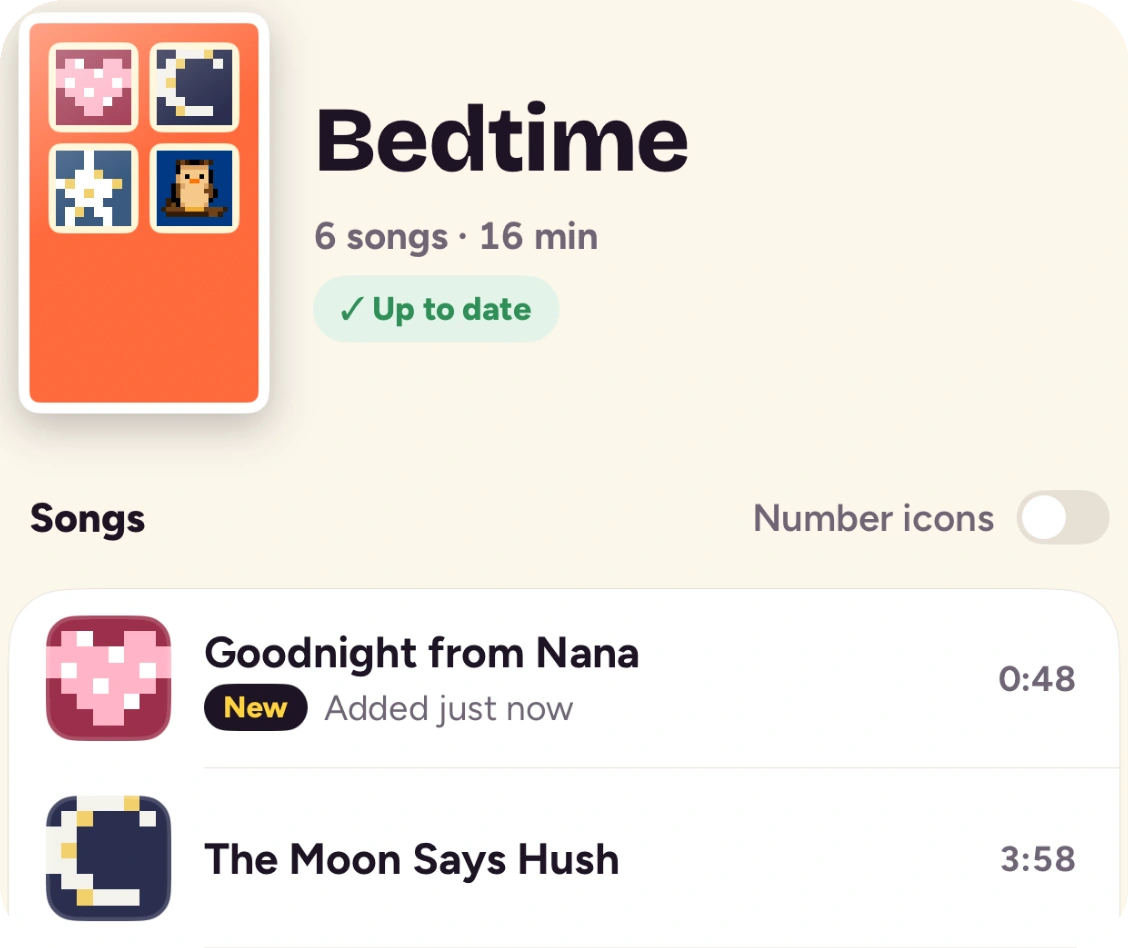
Tap a song to rename it or pick its icon. Drag to reorder. Swipe away the wrong file, with Undo.
Quick MYO runs on iPhone and Android.
Where can I get free Yoto icons and labels?
- yotoicons.com: a free, ad-free library of more than 25,000 community-made 16×16 icons. Browsing is open; uploading needs an account.
- YoPix: turns an image into 16×16 pixel art, with color count and background options and a preview of how it looks on a Yoto.
- Yoto Labels: makes print-ready labels for Make Your Own cards as a PDF. Free, no account, works on a phone too.
- Yoto Everything: free AI-made 16×16 icons, sticker sheets and guides.
More on icons in Yoto icons: free and homemade.
Others worth knowing
Yoto’s developer hub at yoto.space/developers is where Yoto lists verified third-party apps, alongside community posts. Tools posted there include yoMIX and Pixel Draw 16x16 for iPhone. On Reddit’s r/YotoPlayer, a parent shared MYO Yoto Card Assistant, a free Mac app with a pixel-art studio and label maker.
Frequently asked questions
What is the best app for Yoto Make Your Own cards?
It depends on where you edit. The free Yoto app and website do everything you need for a basic card. MYO Studio and MYO Magic add bulk tools and icon help on a computer. Quick MYO adds songs from your phone's share sheet in any app. Yoto Labels, yotoicons.com and YoPix are free helpers for labels and 16×16 icons.
What's the difference between MYO Studio and MYO Magic?
Both are free Chrome extensions that add tools to Yoto's Make Your Own website, and both now have web apps too. MYO Studio leans on organizing: auto-numbering, backups, merging playlists, ZIP import and printable cover art. MYO Magic leans on extras: animated GIF icons, visual timers, podcast import and bulk import from folders.
Is there MYO Studio for iPhone or Android?
There's no MYO Studio phone app. The Chrome extension needs Chrome on a computer. MYO Studio's web app at myostudio.app opens in a phone's browser. To add songs from apps on your phone, use Quick MYO, the Yoto app, or Yoto's website in your phone's browser.
Are these apps made by Yoto?
No. Only the Yoto app and website are Yoto's. MYO Studio, MYO Magic, Quick MYO, Yoto Labels, yotoicons.com and YoPix are independent. Yoto lists verified third-party apps on its developer hub at yoto.space/developers.
Do I need any of these apps?
No. A Yoto account and the free Yoto app or website are enough to make and edit Make Your Own cards. The other tools save time on jobs you do often.